How to pair the Door Sensor with the Third Reality Hub?
Follow the instructions and get your compatible ZigBee hub set up.
Open back cover of the door sensor and install 2 AAA batteries.
Long press the inside button of the sensor until the red LED turns on, indicating it’s in pairing mode.
Follow the instructions to pair it with the hub.
Install the back cover.
Video link:
I have a SmartThings hub, do I need a special hub for the door sensor?
Enable the SmartThings Skill inyour Alexa app and sign in to link your accounts on both platforms.
Go to Devices tabin your Alexa app and add devices to sync your devices under SmartThings to Alexa: “+” icon(on the upper right corner)->Add Device->Other.
Create a routinefor the door sensor and light switches in your Alexa app, you can use door open/close to trigger things like light on/off, or you can set an Alexa “custom message” when the door sensor detects a door is opened.
Why can’t my Echo discover the door sensor? It has a ZigBee hub built-in.
Reboot your Echo by unplugging/plugging it back in.
Set the door sensor into pairing mode by long press the reset button inside the device, the blue LED flashes rapidly.
Keep the door sensor near the Echo with ZigBee hub build-in, then ask Alexa to “discover devices”.
If it is still not working, please factory reset your Echo, re-add echo then re-discover device again, then pair it with your Echo device again.
Why nothing shows up for devices or group on the Third Reality app? I am using a SmartThings hub.
Because you are using Echo (Alexa APP) and SmartThings (SmartThings APP), it will bypass Third Reality app. Only when you are using Third Reality Hub (which is equivalent to SmartThings Hub), then the Third Reality app is required and will show the device in the app.
I can’t get the app to pair with my echo 4th Gen, I would like to use it for my door sensor.
You can connect the door sensor directly with the Echo 4th Gen.
- Remove the battery cover of the door sensor, long press the reset button for 3 seconds until the LED indicator turns red and release, the LED indicator will flashes rapidly in blue, indicating the door sensor is in pairing mode.
- Ask Alexa to discover devices, the pairing will be completed within one minute.
There are three door sensors and four motion detectors that seem to be correctly sending the On/Off signal when activated, but they are not triggering the Alexa routines like they once did. I can trigger the Alexa routines by themselves manually, but they are supposed to trigger with the door sensors and motion sensors.
- Checking for software updates.
- Disenable Skill in your Alexa App and enable Skill again.
- Delete the devices and the corresponding routines in your Alexa App.
- Go to “ Skills & Games” page → search for “Third Reality” → disable Third Reality Skill and then re-enable it.
- Re-create the routines.
Cannot get the door sensor to send a notification to my phone
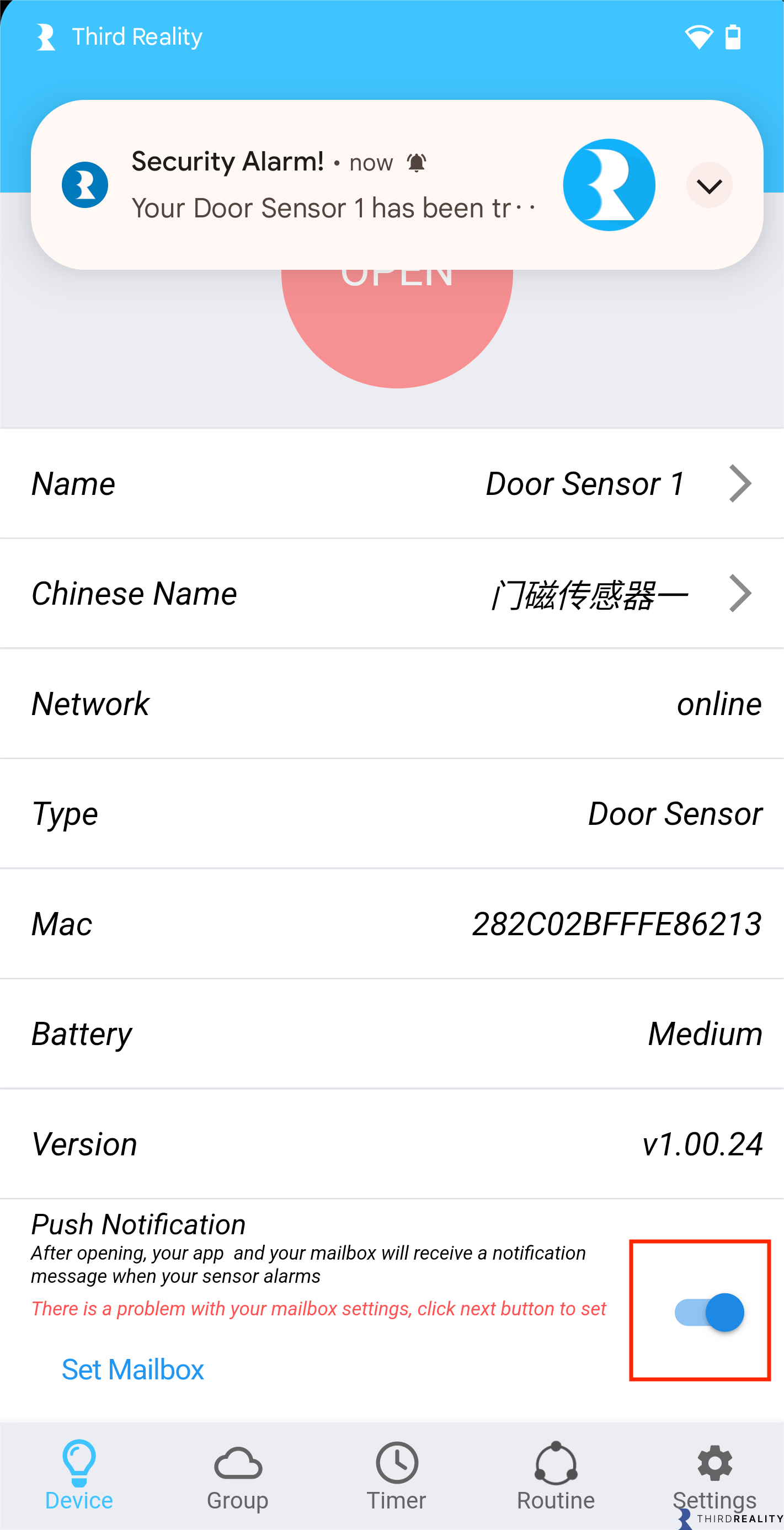
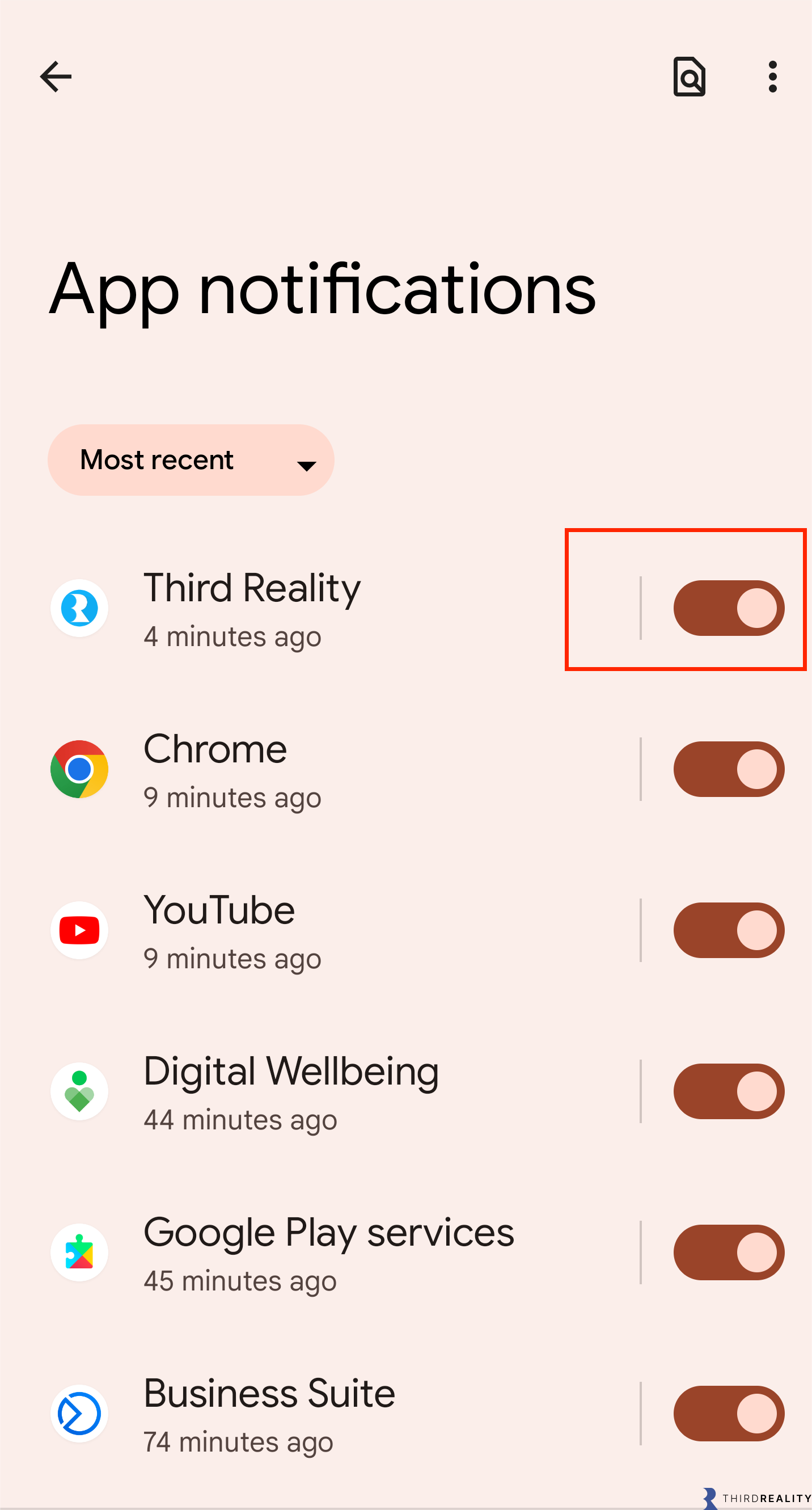
Pls turn on Third Reality “App notifications” in Settings on your phone, and turn on “Push notification” in Door Sensor Details page in your Third Reality App.
I have four working Door Sensor, the Zigbee Contact driver.
I am attempting to connect two more bought from Amazon and neither will pair. They seem to be going into pairing mode correctly.
Pls try the following steps to add the contact sensor, one at a time.
Reboot your smartthings hub
Factory reset the door sensor by long press the button
Then ask Smartthings app to find nearby